Why Is My Switch 30K Pod Not Working?
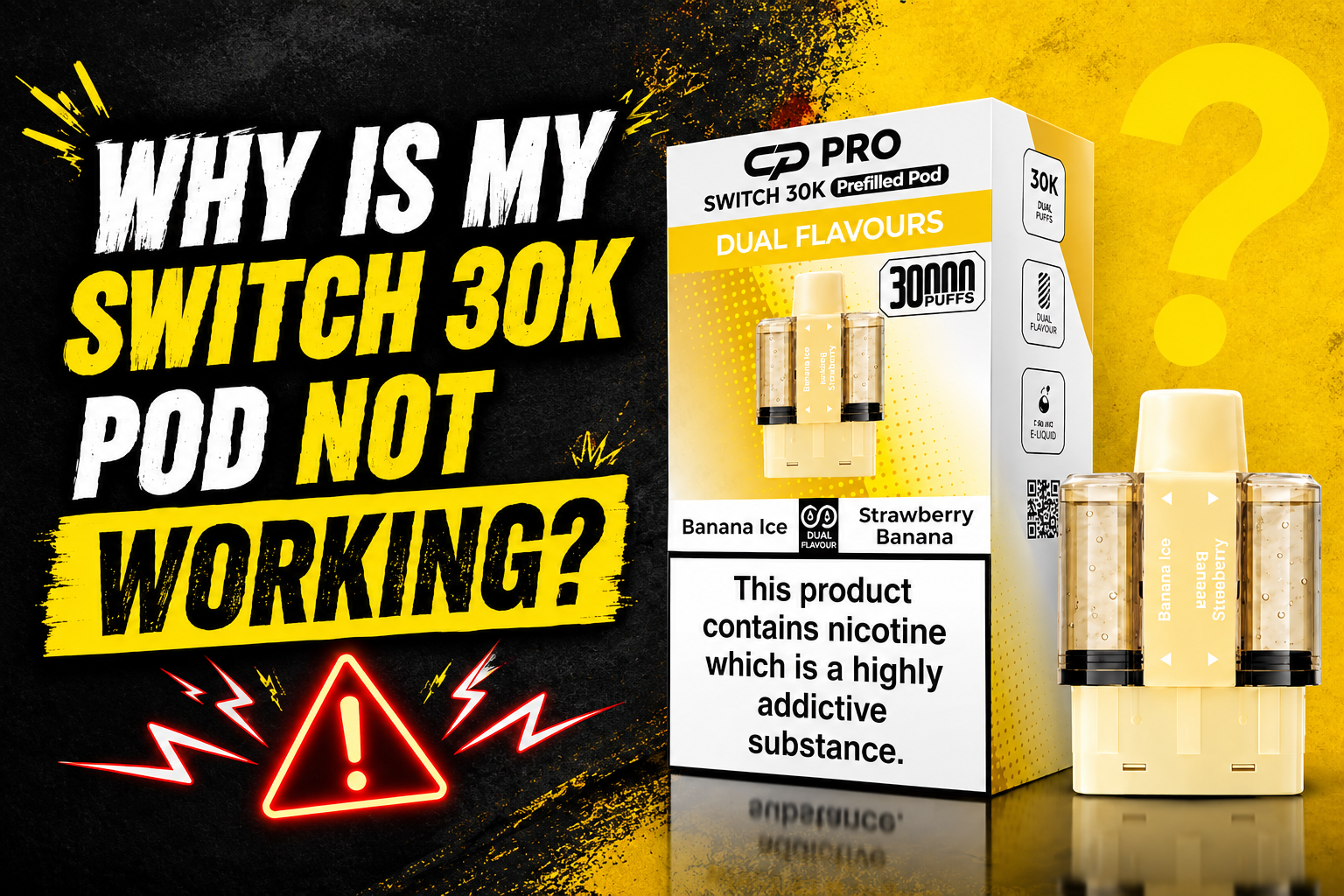
If your Crystal Pro Switch 30K Pods not working properly, do not worry straight away. Many common issues can be caused by a low battery, poor pod connection, blocked airflow, or a pod that needs replacing.
The Switch 30K not working can be frustrating, especially when the device suddenly stops producing vapour. Sometimes the fix is very simple. Checking the battery, cleaning the contacts, and making sure the pod is fitted correctly may solve the problem.
This Switch 30K troubleshooting guide explains the most common Switch 30K pod issues and the simple steps you can take to identify the cause of the problem.
Why Is My Switch 30K Pod Not Working?
There are several reasons why a Switch 30K pod problem may happen. The most common causes include:
-
Low or drained battery
-
Pod not fitted correctly
-
Dirty pod contacts
-
Poor pod connection
-
Blocked airflow
-
Damaged pod
-
Empty or worn pod
-
Charging problems
-
Condensation or liquid around the connection points
Before replacing anything, follow these simple troubleshooting steps. In many cases, the problem can be found quickly.
1. Check Whether the Battery Is Charged
A low battery is one of the most common reasons for a Switch 30K vape not working. If there is no vapour or the device does not activate, check the battery level first.
The device uses Switch 30K USB Type-C charging, so make sure the charging cable is connected properly.
What to do
-
Check the battery indicator if your device has one
-
Connect the device to a suitable USB Type-C charging cable
-
Make sure the charging port is clean and dry
-
Allow the device to charge for a while
-
Test the device after charging
A Switch 30K battery problem may simply be a battery that has become drained during normal use.
If your Switch 30K not charging, try another compatible cable or power source. Also inspect the USB Type-C port for dust or debris.
Common charging problems
A Switch 30K charging problem can happen because of:
-
A damaged charging cable
-
Dirt inside the charging port
-
A loose connection
-
A damaged port
-
A battery that is not holding charge
If you have ongoing Switch 30K charging issues, stop using or charging the device if it becomes unusually hot or appears damaged.
2. Make Sure the Pod Is Fitted Correctly
Sometimes the Switch 30K pod not producing vapour is caused by a simple fitting problem.
Remove and reconnect the pod carefully. Make sure the pod is fitted correctly and sits properly in the device.
Follow these steps
-
Remove the pod carefully.
-
Inspect the pod for damage.
-
Check for dirt or debris.
-
Make sure the contacts are clean.
-
Check if the pod is properly installed.
-
Try reconnecting the pod.
-
Test the device again.
Do not force the pod into place. If it does not fit properly, check that you are using the correct compatible pod.
A Switch 30K pod not connecting or Switch 30K pod connection problem may happen when the pod is not making proper contact with the device.
3. Clean the Pod Contacts
Dirty contacts can cause a Switch 30K pod connection issue. Dust, condensation, or leaked liquid may stop the electrical contacts from connecting correctly.
You should occasionally clean Switch 30K pod contacts and check the connection area.
How to clean the contacts
-
Remove the pod from the device
-
Use a clean, dry tissue or soft cloth
-
Gently wipe the pod terminals
-
Wipe the device contacts carefully
-
Make sure both areas are completely dry
-
Reconnect the pod
Never use excessive water when cleaning the device. Keep the connection points clean and dry.
Dirty pod contacts can lead to a pod loose connection or cause the device not to recognise the pod.
This simple pod connection troubleshooting step can help when the pod is not connecting properly.
4. Check for a Switch 30K No Vapour Problem
If your Switch 30K no vapour problem continues even after charging the battery, check the pod connection and airflow.
Possible causes include:
-
Low battery level
-
Pod not connected correctly
-
Empty pod
-
Blocked airflow system
-
Damaged pod
-
Poor electrical contact
A Switch 30K not producing vapour does not always mean that the whole device has failed.
Try these simple checks:
-
Check battery level
-
Check pod connection
-
Remove and reconnect the pod
-
Clean the connection points carefully
-
Inspect the pod for damage
-
Check the airflow system
If your Switch 30K pod not firing after these checks, the pod may be faulty or may have reached the end of its usable life.
5. Check for Airflow Problems
A Switch 30K airflow problem may reduce performance and make the device feel difficult to use.
Check the mouthpiece and airflow area for:
-
Dust
-
Pocket fluff
-
Condensation
-
Dried liquid
-
Other debris
A blocked airflow system may lead to Switch 30K no airflow, reduced vapour production, or a device that does not activate properly.
Clean the area gently with a dry tissue. Do not push sharp objects into the device.
If you have weak vape performance, a blocked airflow path may be one possible cause.
6. Why Is My Switch 30K Producing Weak Vapour?
A Switch 30K weak vapour or Switch 30K low vapour production problem can happen for several reasons.
These include:
-
Low battery
-
Pod reaching the end of its life
-
Partially blocked airflow
-
Pod not fitted correctly
-
Frequent use without breaks
-
Reduced device performance
If the device still works but produces less vapour than before, charge the battery first. If the problem continues, inspect the pod and connection points.
A pod vape not producing vapour may also need a new compatible replacement pod.
7. Check the Pod for Damage or Leaks
Inspect the pod for:
-
Cracks
-
Visible leaks
-
Damaged seals
-
Loose parts
-
Excess liquid around the base
A damaged pod may cause several prefilled pod problems, including poor performance and connection issues.
If you notice liquid around the connection area, remove the pod and carefully dry the device contacts before reconnecting it.
Do not continue using a visibly damaged pod.
8. The Pod Suddenly Stopped Working
If your Switch 30K pod suddenly stopped working, start with the easiest checks.
Quick troubleshooting checklist
-
Check whether the battery is charged
-
Make sure the pod is fitted correctly
-
Remove and reconnect the pod
-
Check for dirt or debris
-
Clean the connection points carefully
-
Inspect the pod for damage
-
Check the airflow
-
Test the device after charging
A Switch 30K pod stopped working may be caused by a drained battery or poor connection. In some cases, the pod may simply need replacing.
These are some of the most common reasons a pod stops working.
9. Switch 30K Pod Not Working After Charging
If you have a Switch 30K pod not working after charging, check whether the device actually received power.
Look for signs that the battery indicator or charging display responded while charging.
Then:
-
Disconnect the charging cable.
-
Check the charging port.
-
Remove the pod.
-
Clean the device contacts.
-
Reinstall the pod.
-
Test the device again.
If there is still no response, the problem may be related to the battery, pod connection, or the device itself.
A rechargeable pod battery problem can sometimes prevent normal device activation even when the cable has been connected.
10. Switch 30K Pod Not Working After Replacing Pod
If your Switch 30K pod not working after replacing pod, make sure the new pod is compatible with the device.
Check the following:
-
The pod is the correct type
-
Any required packaging or seals have been removed
-
The pod is properly installed
-
The pod connection is clean
-
The battery has enough charge
-
The pod is not damaged
Do not force the pod into the device.
If the replacement pod does not work, remove it and check the connection points before trying again.
11. Device Not Activating
The Switch 30K device not working may be caused by a battery or connection problem.
If the device does not activate, try these steps:
-
Check battery level
-
Charge the device
-
Check pod contacts
-
Make sure the contacts are clean
-
Reconnect the pod
-
Check for blocked airflow
-
Inspect the pod for visible damage
A device not activating can sometimes be caused by condensation or dirt around the connection area.
Following simple troubleshooting steps can help identify the cause of the problem.
How to Fix a Switch 30K Pod That Is Not Working
If you are wondering how to fix Switch 30K pod not working, follow this simple order:
Step 1: Check the battery
Check whether the battery is charged. If the battery is low, allow the device to charge before testing it again.
Step 2: Check the pod connection
Remove and reconnect the pod. Make sure the pod is fitted correctly and is making proper contact with the device.
Step 3: Clean the contacts
Clean the pod terminals and device contacts carefully using a dry cloth or tissue.
Step 4: Check the airflow
Inspect the airflow system and mouthpiece for dust, condensation, or debris.
Step 5: Inspect the pod
Check for cracks, leaks, loose parts, or other visible damage.
Step 6: Try a compatible replacement pod
If the battery is charged and the device connection is clean but the pod still does not work, the pod may need replacing.
This is a simple answer to how to troubleshoot a Switch 30K pod without making unnecessary changes.
Switch 30K Pod Maintenance Guide
Good pod vape maintenance can help prevent some common pod system problems.
Follow these basic tips:
-
Keep the device clean and dry
-
Clean vape device contacts regularly
-
Check pod contacts before fitting a new pod
-
Keep the charging port free from debris
-
Avoid forcing the pod into place
-
Inspect the pod for damage
-
Keep the device away from excessive heat or moisture
-
Follow the manufacturer’s instructions
Regular device maintenance can help you notice small problems before they affect device performance.
Common Switch 30K Problems and Fixes
|
Problem |
Possible Cause |
What to Check |
|
No vapour |
Low battery or poor connection |
Charge and reconnect the pod |
|
Pod not detected |
Dirty or loose contacts |
Clean and check pod contacts |
|
Weak vapour |
Low battery or worn pod |
Charge the device and inspect the pod |
|
Not charging |
Cable or charging port issue |
Check the cable and USB Type-C port |
|
No airflow |
Blocked airflow system |
Remove dust and debris carefully |
|
Device not activating |
Battery or pod connection issue |
Check the battery and connection points |
|
Pod feels loose |
Pod not fitted correctly |
Remove and reinstall carefully |
These are some of the most common Switch 30K common problems and fixes.
What Causes a Pod Vape to Stop Working?
Many common pod vape problems are caused by one of four main areas:
Battery problems
The battery level may be too low for the device to operate properly.
Pod connection problems
A pod may not connect if the electrical contacts are dirty or if the pod is not installed correctly.
Airflow problems
Dust or condensation may block the airflow system and affect vapour production.
Pod problems
A damaged, empty, or worn pod may stop performing properly.
Understanding these common causes can help you identify the cause of the problem before deciding what to do next.
General Pod Vape Troubleshooting Tips
If you want to know how to fix a pod vape that is not working, start with the basic checks.
Check the battery level
Always check the battery before assuming the pod has failed.
Check pod connection
Make sure the pod is correctly fitted and fully connected.
Clean the device
A clean pod vape device can reduce problems caused by dirt or residue around the contacts.
Inspect the pod
Look for visible damage, leaks, or signs that the pod may need replacing.
Follow the manufacturer’s instructions
The device instructions may provide specific information about installation, charging, and care.
A good pod vape troubleshooting guide should always start with simple checks before assuming there is a serious fault.
When Should You Stop Using the Device?
Stop using the device if you notice serious signs of damage.
These may include:
-
The device becomes unusually hot
-
Heavy leaking
-
Visible damage to the battery area
-
A damaged charging port
-
Unusual smells
-
Smoke or other serious signs of malfunction
Do not try to open or repair a sealed rechargeable pod device yourself.
Frequently Asked Questions
Why is my Switch 30K pod not working?
The problem may be caused by a low battery, dirty contacts, poor pod connection, blocked airflow, or a damaged pod. Start by checking the battery and pod connection.
Why has my Switch 30K stopped working?
Your device may have a drained battery, a connection problem, or a faulty pod. Remove and reconnect the pod, clean the contacts, and check the battery level.
Why is my Switch 30K not producing vapour?
A Switch 30K no vapour problem may happen because the battery is low, the pod is not fitted properly, the airflow is blocked, or the pod needs replacing.
Why is my Switch 30K pod not connecting?
Check for dirty pod contacts or debris around the connection points. Remove the pod, clean both contact areas carefully, and reinstall it correctly.
Why is my Switch 30K not charging?
Check the USB Type-C cable, charging port, and power source. Make sure the port is clean and dry. If the device still does not respond, there may be a battery or charging fault.
What should I do if my Switch 30K pod stops working?
Check the battery level, pod installation, electrical contacts, and airflow. If the problem continues after these checks, inspect the pod for damage or consider using a compatible replacement pod.
How do I troubleshoot my Switch 30K pod?
Follow simple troubleshooting steps: check the battery, remove and reconnect the pod, clean the contacts, inspect the airflow, and check the pod for visible damage.
How can I clean the pod contacts?
Remove the pod and gently wipe the contacts with a clean, dry cloth or tissue. Make sure the connection points are completely dry before reinstalling the pod.
Why is my pod vape not activating?
The device may have a low battery, blocked airflow, or poor pod connection. Check these areas carefully and make sure the pod is fitted correctly.
What causes a pod device to stop working?
Common causes include a drained battery, damaged pod, dirty electrical contacts, blocked airflow, charging issues, or general wear.
Final Thoughts
If your Switch 30K pod not working, start with the simplest checks first. Check whether the battery is charged, make sure the pod is fitted correctly, and clean the connection points carefully.
Most Switch 30K pod vape problems are related to the battery, pod connection, airflow, or the condition of the pod. Taking a few minutes to inspect these areas may help identify the issue.
Good vape device care and maintenance can also help keep the pod system clean and working as expected. Always keep the device clean and dry, use compatible parts, and follow the manufacturer’s instructions.